MSport Account Name

How to setup your MSport Account Name?
If you do not setup a MSport Account Name before, you will be required to set your MSport Account Name when you initiate a withdrawal.
The following is the step:
1st, Initiate a withdrawal of 500 Naira for example.
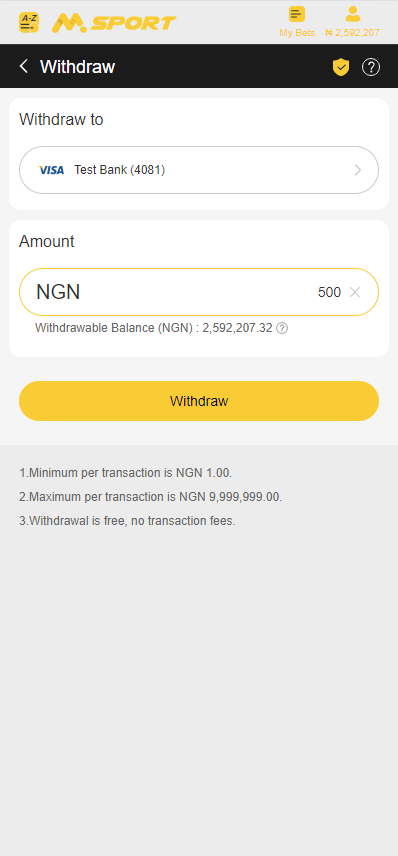
2nd, after you click the “Withdraw” button, the confirmation pop-up window will appear.

3rd, After click “Confirm” button, you will be required to input the Withdraw Password.
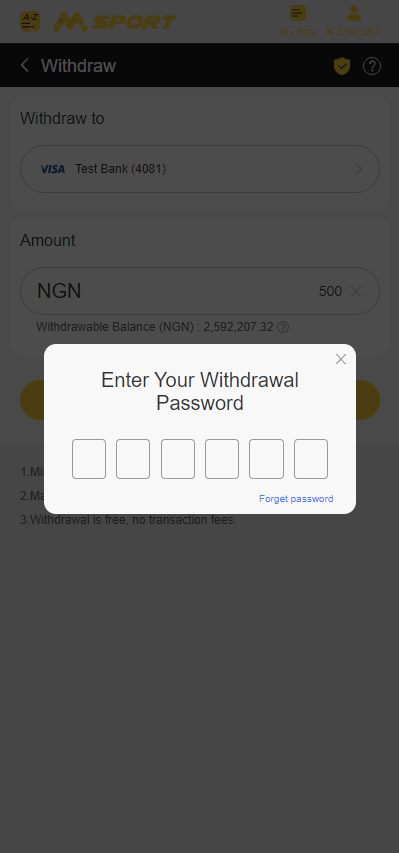
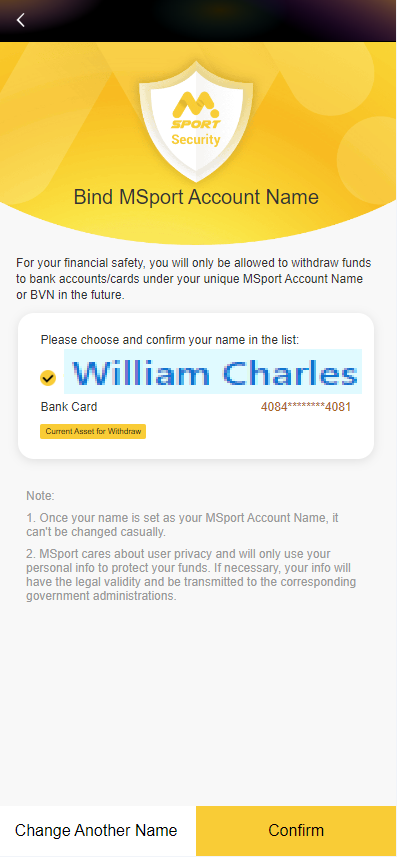
4th, After you input your withdraw password, you will be able to see your bank account name/ bank card name which is parsed from your deposit bank account/bank card.
4.1 If the name is correct, you can directly click “Confirm” button, and set this name as your MSport Account Name.
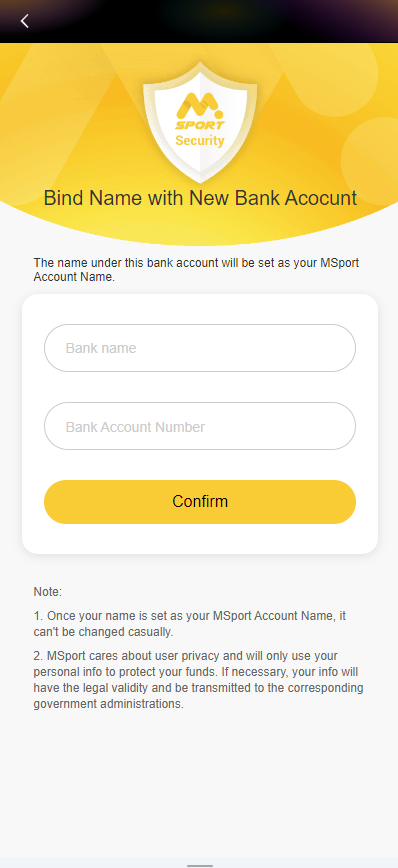
4.2 If your bank card name or bank account name can not be parsed, then you can click the “Change Another Name” tab to input your bank account name manually.
Kindly notice that the bank account name/bank card name must be input accurately.
5. After you click the “Confirm” button, the MSport Account Name confirm pop-up window will be appeared.
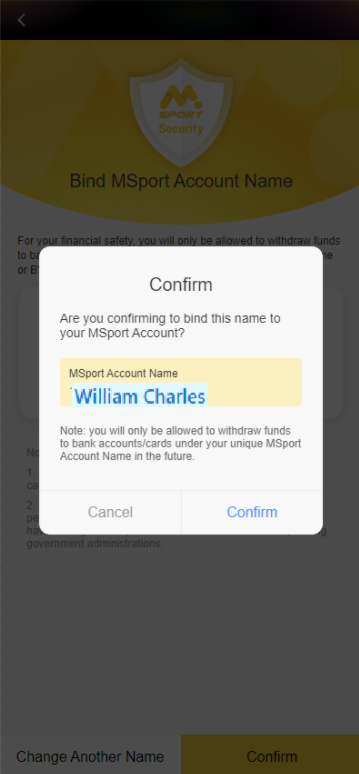
6th, after you click “Confirm” button, your MSport Account Name will be setup successfully.

Notice: After you set your MSport Account Name successfully, you can only withdraw your money to an bank account that matches your MSport Account Name. All withdrawals to unmatched bank accounts will be rejected.
==========================================================
How to update your MSport Account Name?
If you set your MSport Account Name wrongly at the beginning, you still have one chance to update your MSport Account Name.
Kindly notice that the MSport Account Name can only be reset once.
The following is the process to reset the MSport Account name:
1st, Open “My Account” page.
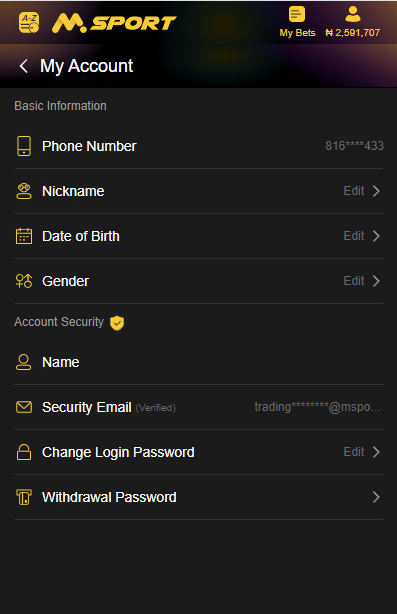
2nd, Click “Name” item on “My Account” page. You will open “MSport's Account Name” page.
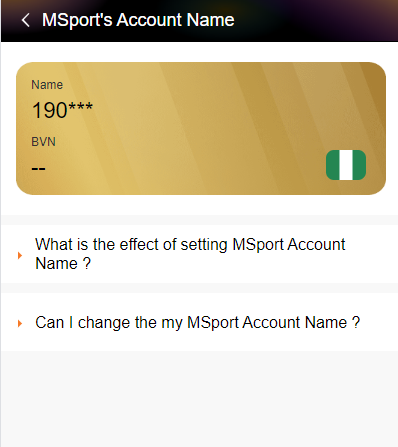
3rd, On “MSport's Account Name” page, Click “Can I change my MSport Account Name?” item.

4th, Click “Reset” button under “Can I change my MSport Account Name?” item. You will be directed to the materials upload page.
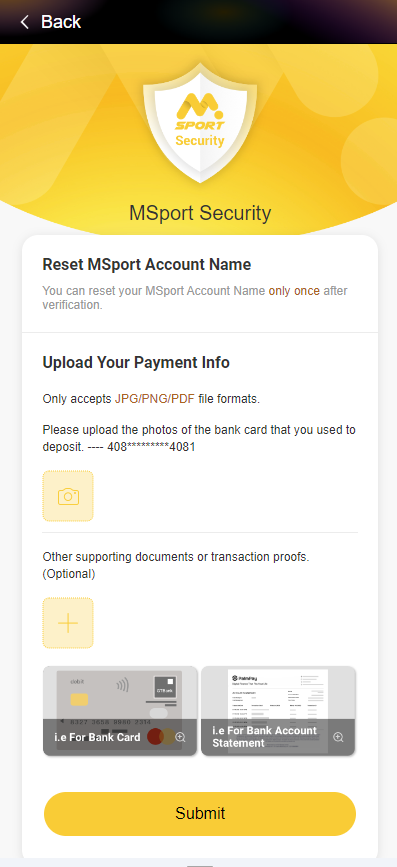
5th, After you upload the materials, then click “Submit” button, your materials will be submitted successfully.
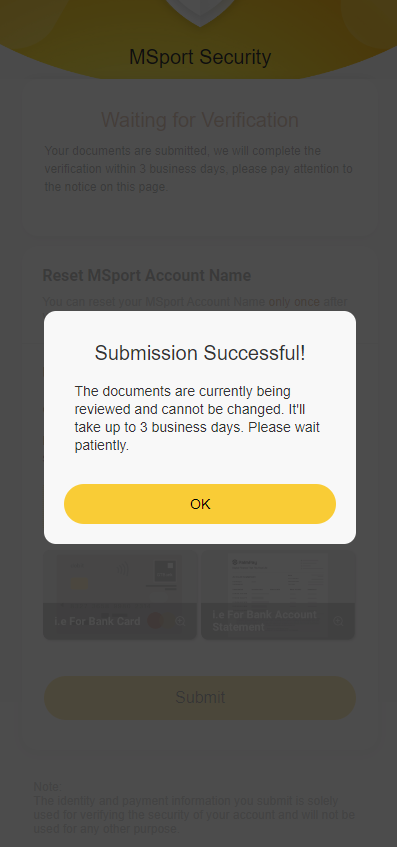
Notice: Within 3 business days, your materials will be reviewed. After they are reviewed successfully, your MSport Account will be reset. Then you can set your MSport Account Name the last time.
-

can are withdrawn the money now
0 -
please are hoping now are can not find any problem Abi please if they anything are can do let me know
0 -

So please what material can upload in there for change of my name
0 -

Dear Customer, Thanks for reaching out to us. For the customer service issues, kindly contact us through our 24/7 Live chat through our website https://www.msport.com/ng/support/about/contact-us?chat=1.
0 -

PLEASE I WANT TO CHANGE MY MSPORT ACCOUNT NAME
0 -
Dear Customer, Thanks for reaching out to us. For the customer service issues, kindly contact us through our 24/7 Live chat through our website https://www.msport.com/ng/support/about/contact-us?chat=1.
0
Please sign in to leave a comment.
Comments
6 comments