
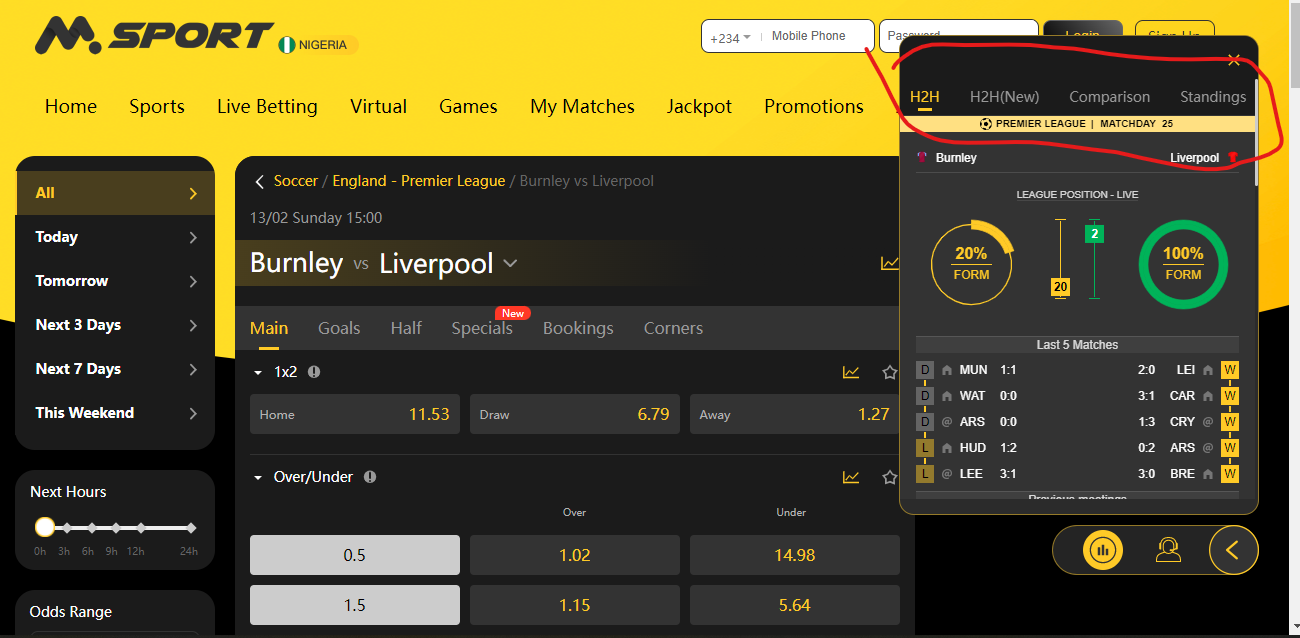
MSport has made it easier for our customers to check Match statistics; ranging from Head to head, standing to comparisons.
This is to enable our customers to make informed decisions on a particular bet.
Kindly find below steps on how to check match stats.
1. Log into your MSport Account.
2. Click on Sports
3. Select the country of your choice eg England
4. Select the League eg Premier League
5. Select the Match or event of your choice
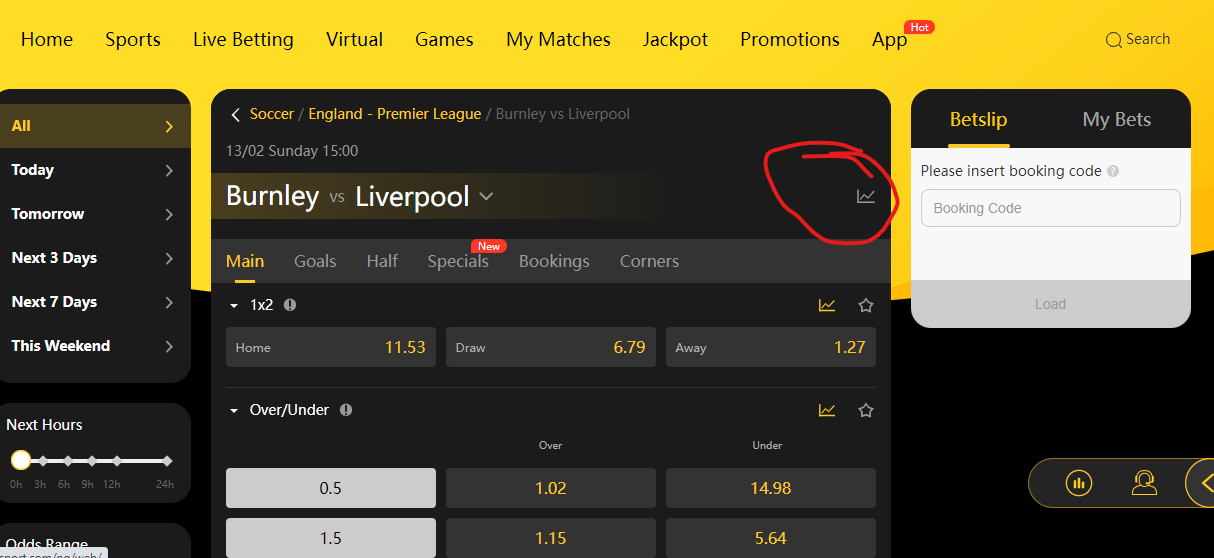
6. Click on icon that looks like a "graph" all the information on the match such as Head to head, standings and comparison are there.
Please see pictorial guide below .
Comments
0 comments
Please sign in to leave a comment.