
Deposit on MSport platform has never been identified as an integral part of the business, and the organization is always looking for new ways to ease customers' deposit issues.
In line with this, our deposit options via bank account have been optimized to accommodate new options that include, Internet Banking, USSD, VISA QR in addition to the well-known and reliable Bank Transfer method.
To deposit using the updated bank account option, kindly follow the steps below:
Step 1: Login to your MSport account
Step 2: Click on the “Me” column at the top right side of the web page where you have your balance
Step 3: Click deposit and select “bank account” as shown on the screenshot above
Step 4: Select your bank, input your 10 digits account number, the deposit amount and click on “top up
now”.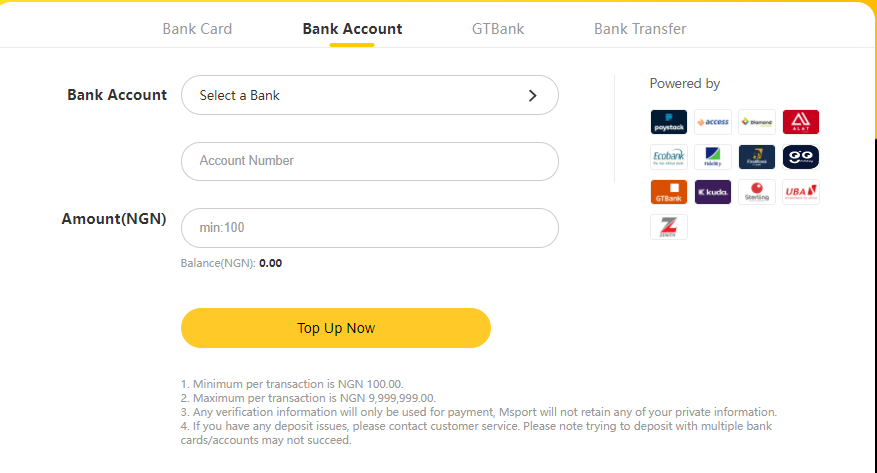
Step 5: On the next page displayed, select your preferred option at the left side of the Paystack page e.g VISA QR, Bank(Internet Banking), Transfer and USSD.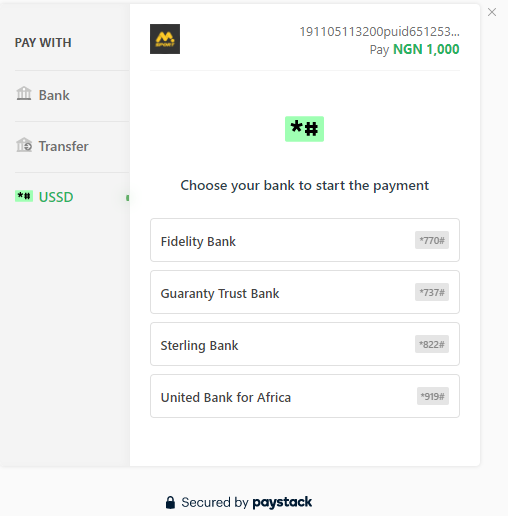
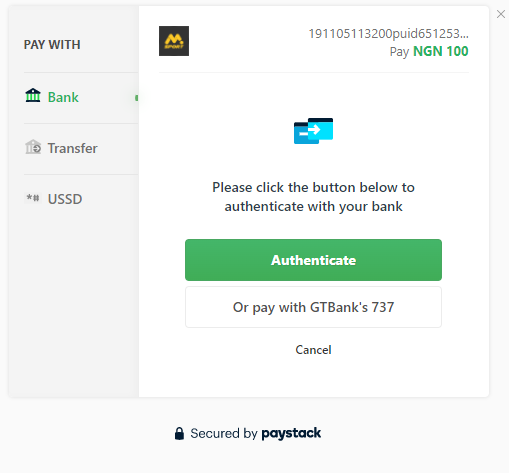
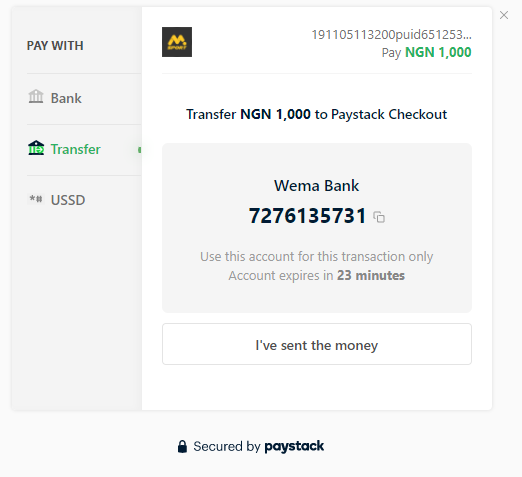
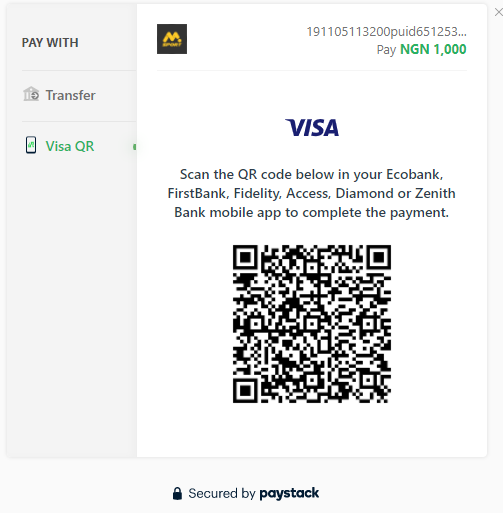
N.B All 4 options(Visa QR, Bank, Transfer and USSD) may not be available at the same time for all banks
Step 6: Once you have chosen your preferred option, simply follow the on-screen menu to complete the process. For options that require dialing code on your phone or scanning QR code, do ensure it is done without delay to aid successful deposit processing.
Step 7: As soon as all steps are completed, click on the MSport logo at the top of the page to check for the fund in your MSport account.
NOTE: For failed deposit transactions, do exercise patience as the reversal is processed within 24 hours.
Do ensure to only make use of banking details that belong to you.
For bank transfer, once you have successfully made the transfer, click on I HAVE SENT THE MONEY to complete the process
Comments
2 comments
Opay bank account toheeb Tunday eniola
I send the money from opay bank with the number on my profile
Please sign in to leave a comment.