
Sometimes, the customer failed to deposit their MSport account but he or she was debited by the bank.
In these cases, we need to login the email box cs.nigeria@msport.com and send an email to support@paystack.com to help the customer to get their money back from the Paystack side. Remember to CC the customer, so the customer can know the process of the refund on time and the customer can provide the materials if Paystack side further asks.
To do so, you also can use the account cs.nigeria@msport.com to login Paystack's support system support.paystack.com to submit a ticket, just like the following picture shows.
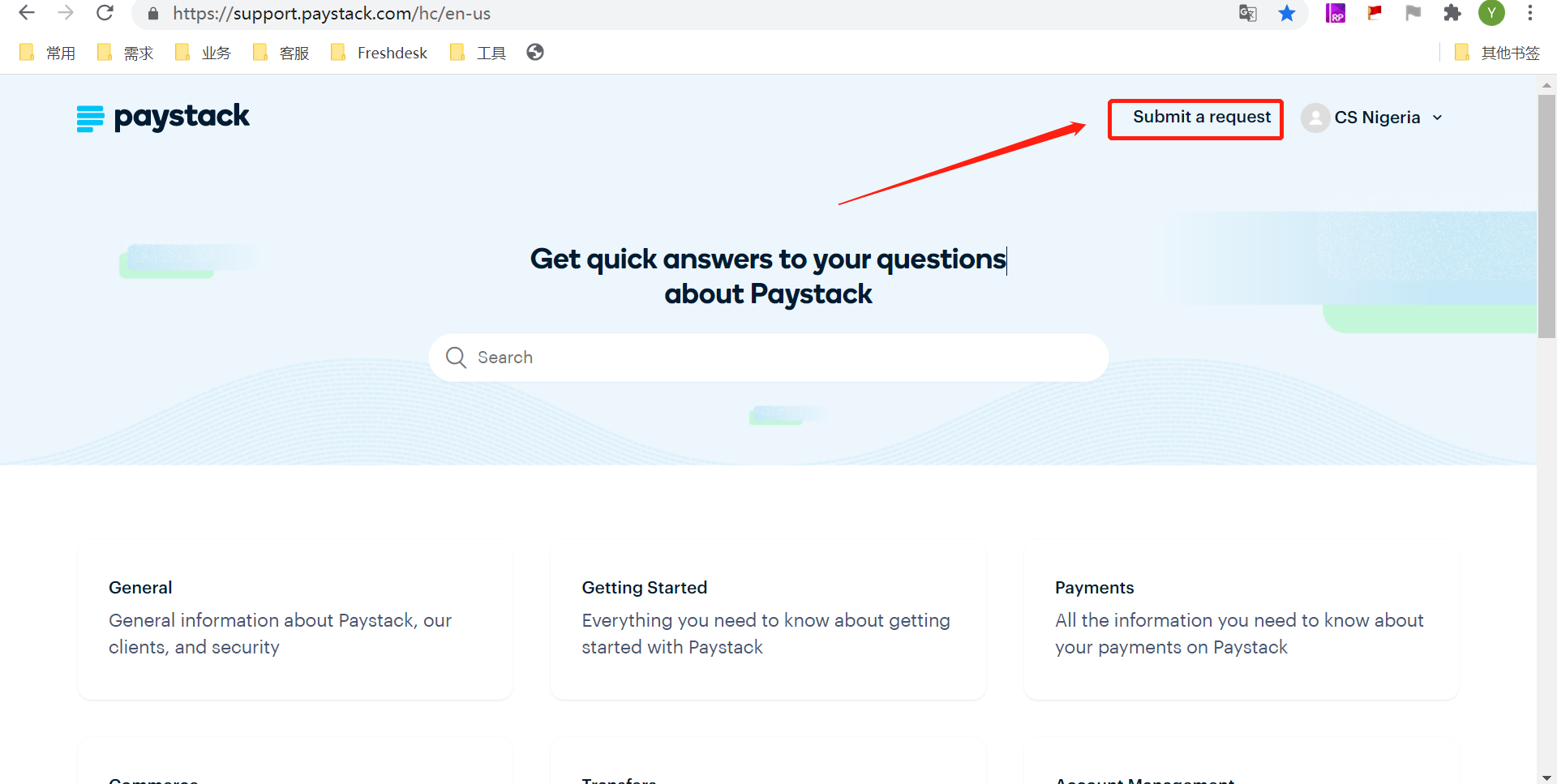
When sending an request to Paystack, you can refer to the following format.
1st, "Bank Account" method
The check on our end shows that the deposit failed due to the error message "Reference check successful-The bank is unable to process the transaction-failed".
Below are the details of the customer transaction:
Pay Channel Request ID: 2**********5pch95****43
User ID: 2**********2puid07****25@msport.com
Kindly assist to reverse the transaction.
Regards,
MSport Customer Service Team
2nd, "Bank Card" method
The check on our end shows that the deposit failed and was not reverse back to the customer bank card with deposit amount of N2000.
Kindly reverse the failed deposit of customer which was debited but not delivered due to the error message "Reference check successful-The transaction was not completed".
Below are the details of the customer transaction;
Pay Channel Request ID: 2**********4pch88****52
User ID: 2**********0puid31****17@msport.com
Kindly assist to reverse the transaction.
Regards,
MSport Customer Service Team
3rd, "Bank transfer" method
The check on our end shows that the deposit failed and was not reverse back to the customer bank account with deposit amount of N180 and N100.
Kindly reverse the failed deposit of customer which was debited but not delivered due to the error message "Reference check successful-Awaiting Transfer-failed" and "Reference check successful-Account expired-failed".
However, the customer was debited in his bank account side.
Below are the details of the customer transaction;
Pay Channel Request IDs:
Kindly assist to reverse the transaction.
Regards,
MSport Customer Service Team
Kindly notice that, for MSport team members, we do not ask the customer about their bank account details.
After we send the email, which CCed the customer and connect Paystack and the customer together, Paystack side may further ask the customer for the following materials:
- Account number the payment was made to
- Email address used to make the payment
- Your bank account details
- Screenshot of the debit alert received
- Name of the business the payment was made to
- A copy of the bank statement
Comments
12 comments
I’m suppose to deposit #500 to msport account this morning but I mistakenly send #2000 and I couldn’t find the money in my msport account and they tell me it’s been refund but they haven’t refund the money
How am I going to see my money now
Hello Please I wanted to send 500 to my msport but I mistakenly send #7,109 and my bank account was debited but my msport account wasnt credited please help
Thanks
I mistakenly transferred 300 twice to my msport account kindly assist me
I mistakenly transfer #10,000 to my msport account instead of #100 since yesterday and I have not see it on my wallet or bank account. please help
I mistakenly transfer 2000 to msport the money did not refund to me plx help me
I have send money to this account number 8203265141 but not deposit to my account today # 2000.
I send money from my palmpay account the first one is #100 the second transaction I made with my sister palmpay is #400 I have been debited and the money did not appear in my MSport balance help me and reverse it back I’m tired of this
Help me reverse itI have transfer 2500 in my bank to msport money not arrived please help me reverse it
I mistakenly send 497 instead of 490 today please kindly refund my money to my account
Dear Customer, Thanks for reaching out to us. For the customer service issues, kindly contact us through our 24/7 Live chat through our website https://www.msport.com/ng/support/about/contact-us?chat=1
Please sign in to leave a comment.