To View your transactions on MSport, kindly follow the steps below;
Login to your MSport account using the registered mobile number
Click on the “Me” column at the top right side of the web page where you have your balance
On the next page displayed, click on “MY TRANSACTIONS”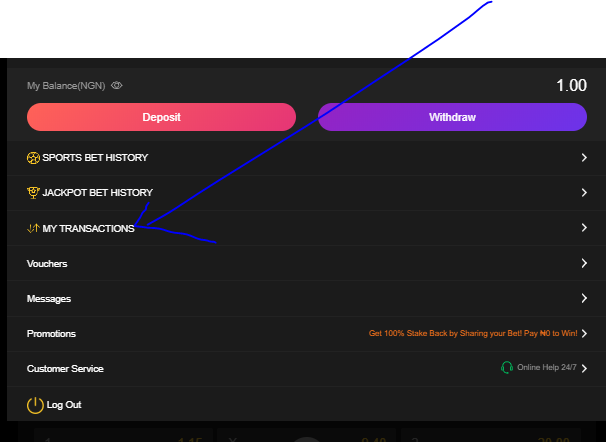
Once done, the next page displayed will be a list of your transactions on MSport, it contains, placed bets, deposits, withdrawals, rollback, winnings, cashout etc.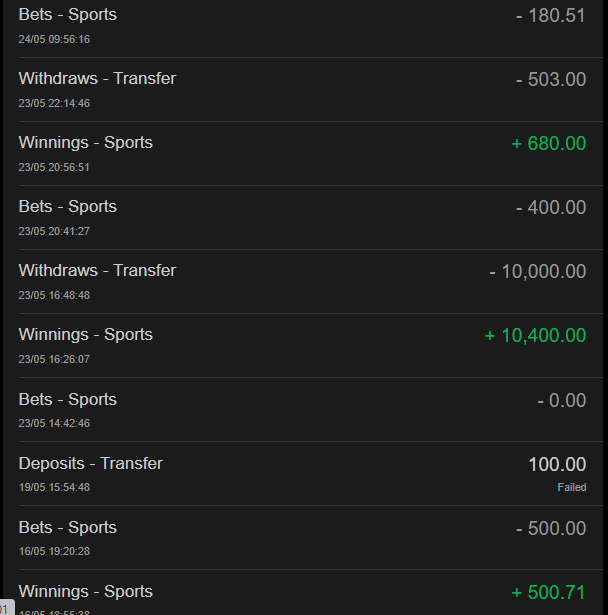
To get more information on any of the transactions, click on the exact transaction for the details to pop up.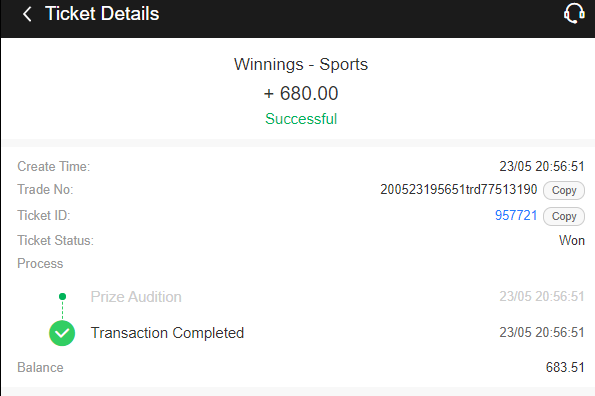
How To View Transaction History

Comments
2 comments
600
600
Please sign in to leave a comment.