
After you top up your MSport account, you may want to delete the bank account information. If so, kindly refer to the following procedure.
1st, In the 'Deposit' page, click the "Bank Account" tab. Then click "switch account", to open the bank account list.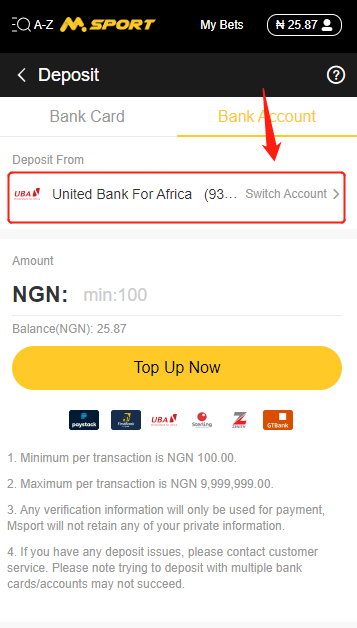
2nd, click "Edit" in the popup page. then the sign "X" will appear behind the bank account.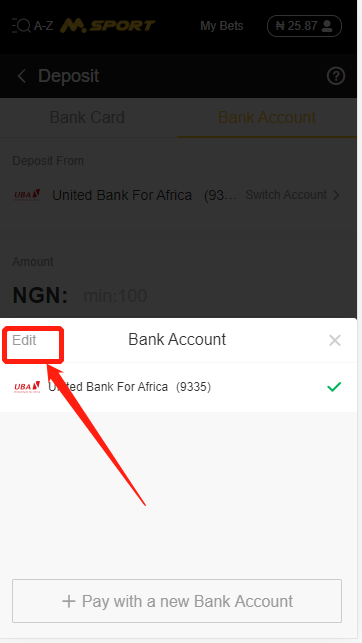
3rd, click "X", and delete the bank account information.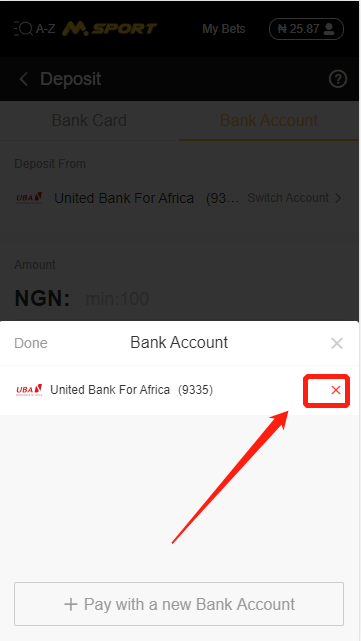
4th, click "yes" in the pop-up page.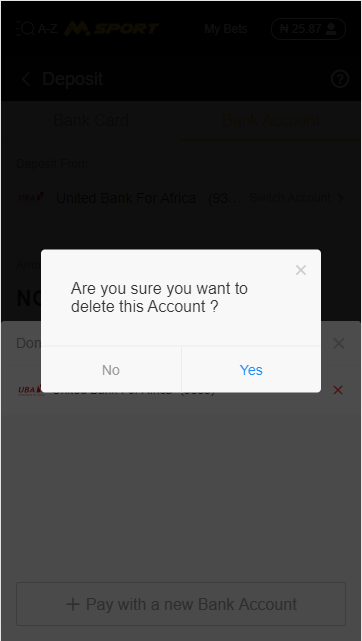
5th, after you finished the above procedures, the bank account will be deleted from your MSport account.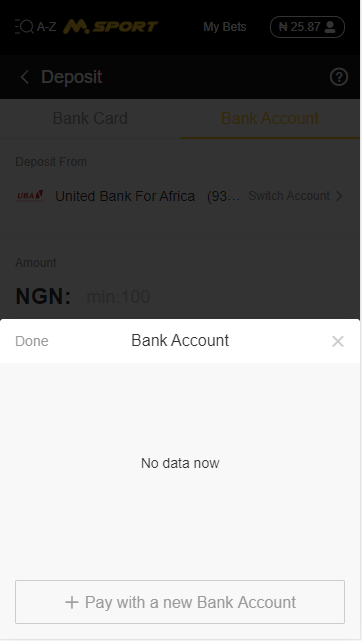
Comments
2 comments
That's good
Please sign in to leave a comment.