
Every time when the new version of MSport APP is released, some amazing features will be added, and the APP will become more faster and smoother than the previous one, just to ensure you can have a better experience with MSport APP.
If you have already installed MSport APP, how to update it to the newest version?
The following are the steps:
1st, click the portrait icon to enter the "ME" page. Then scroll down the screen to the bottom to find the "Settings" option. If there is a new update, there will be a red pot in the "Settings" item.
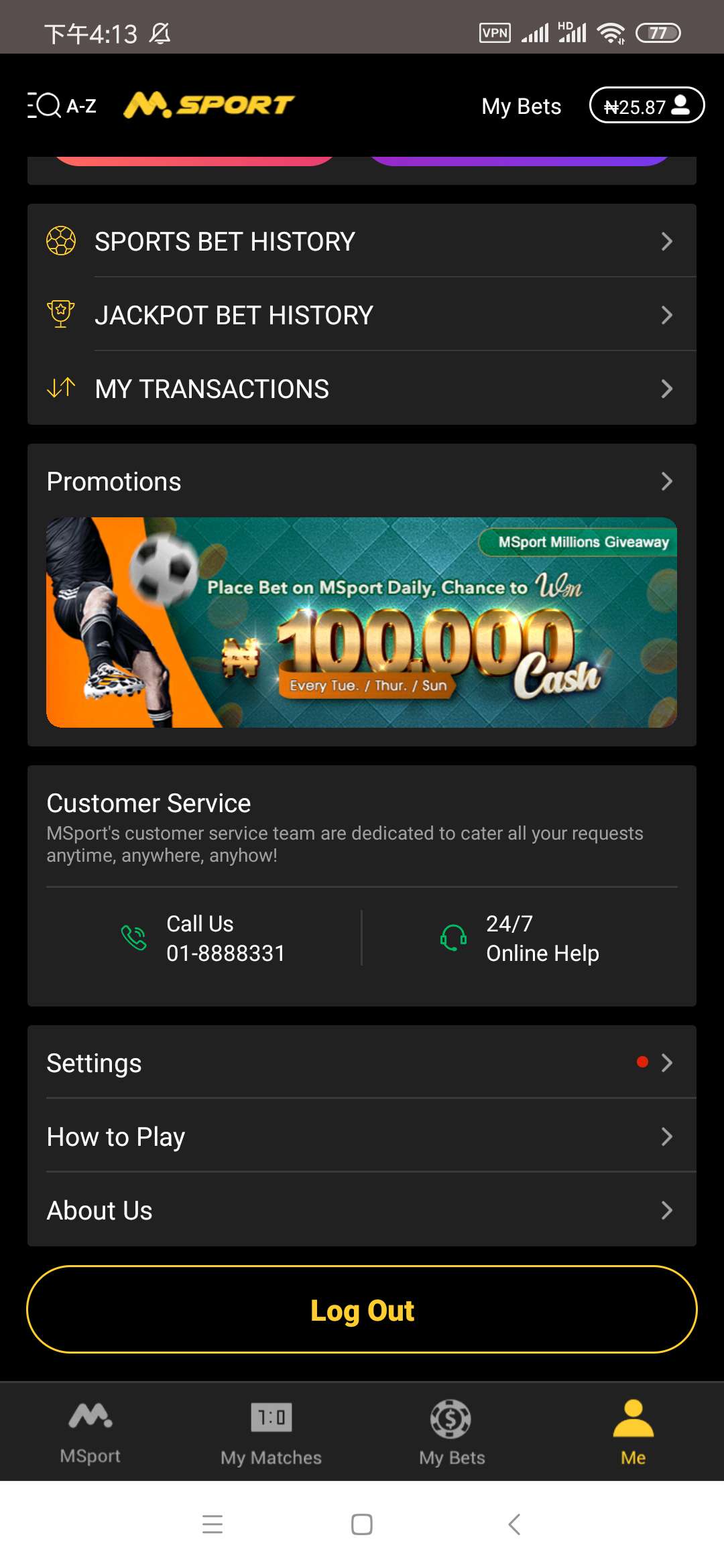
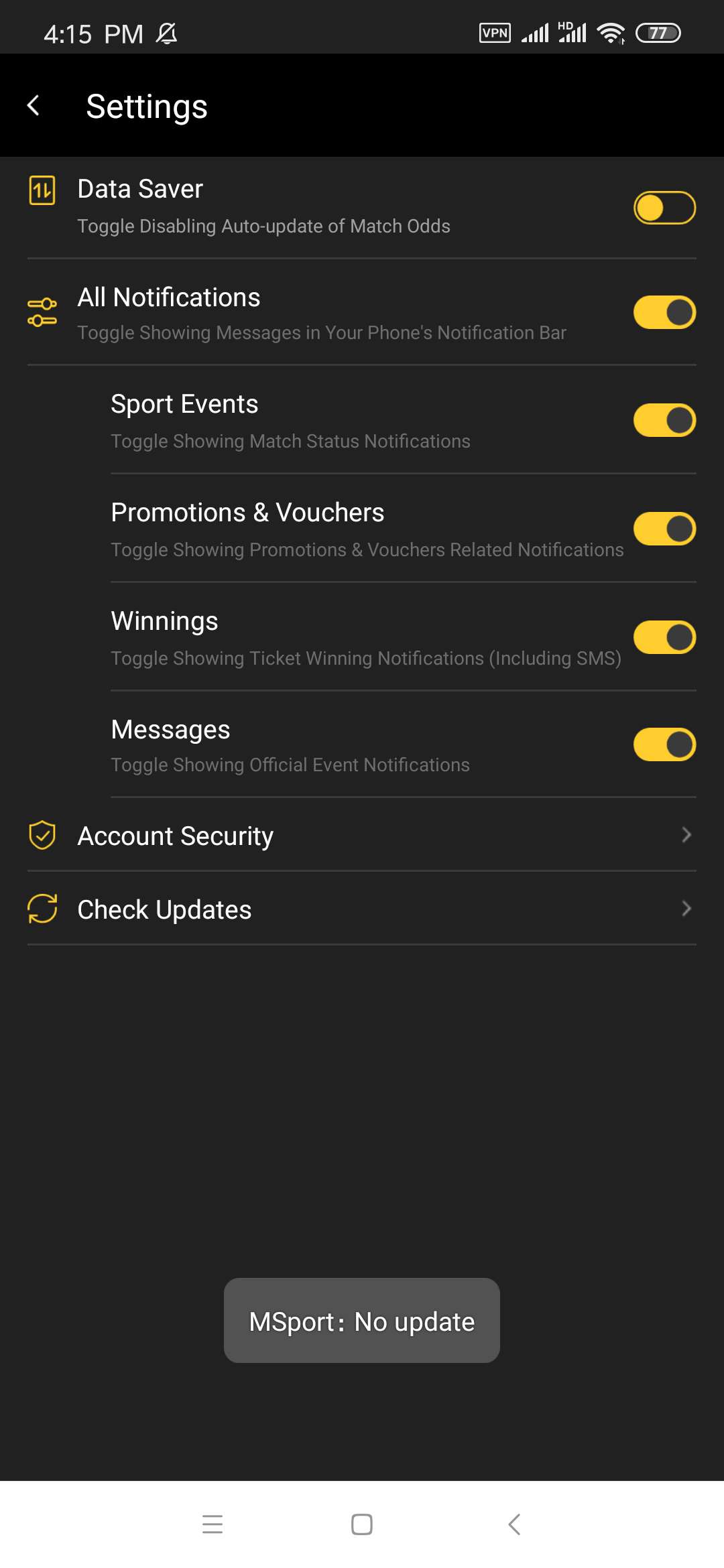
2nd, click the "Settings" option to enter the "Settings" page. Find the "Check Updates" option at the bottom of this page.
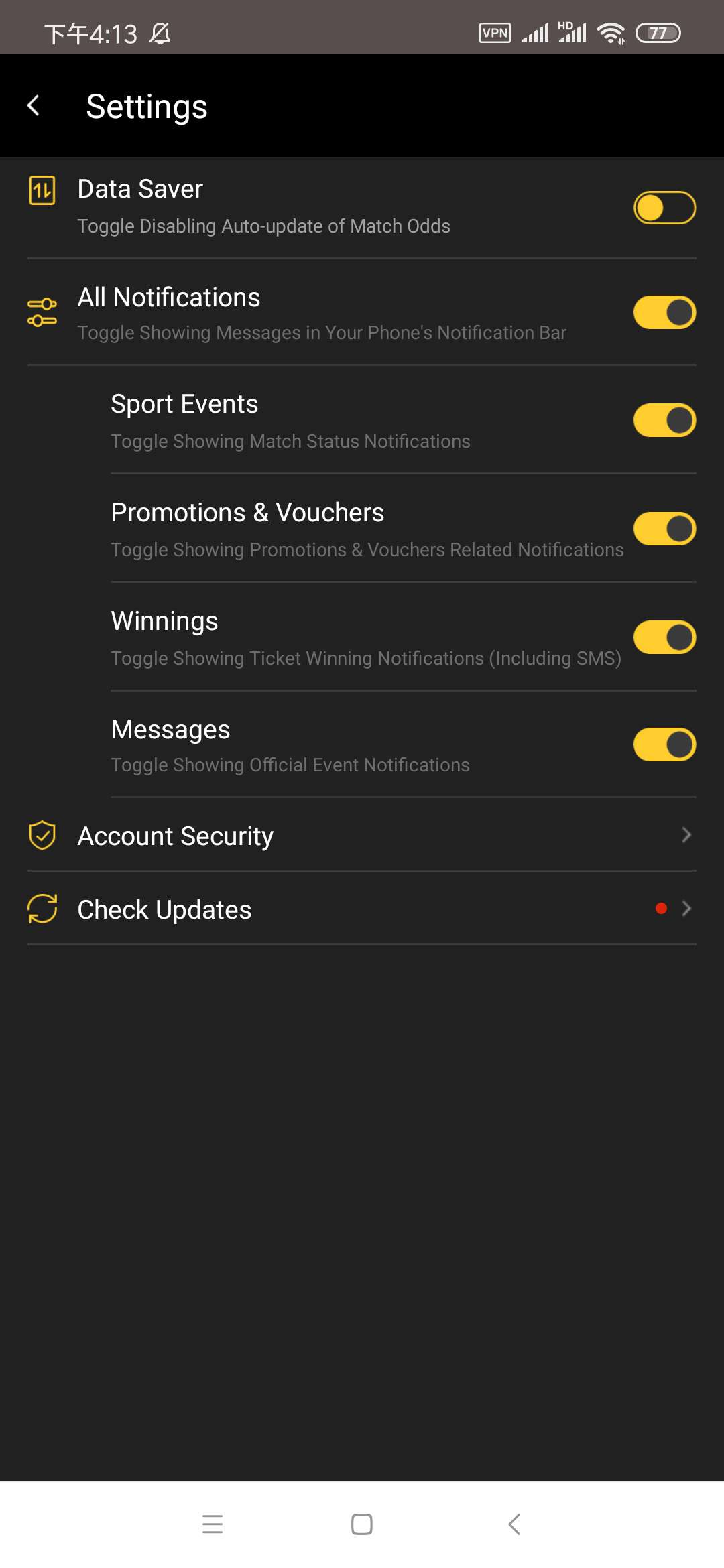
3rd, click "Check Updates" option. If there is an update of the APP, the following page will appear.
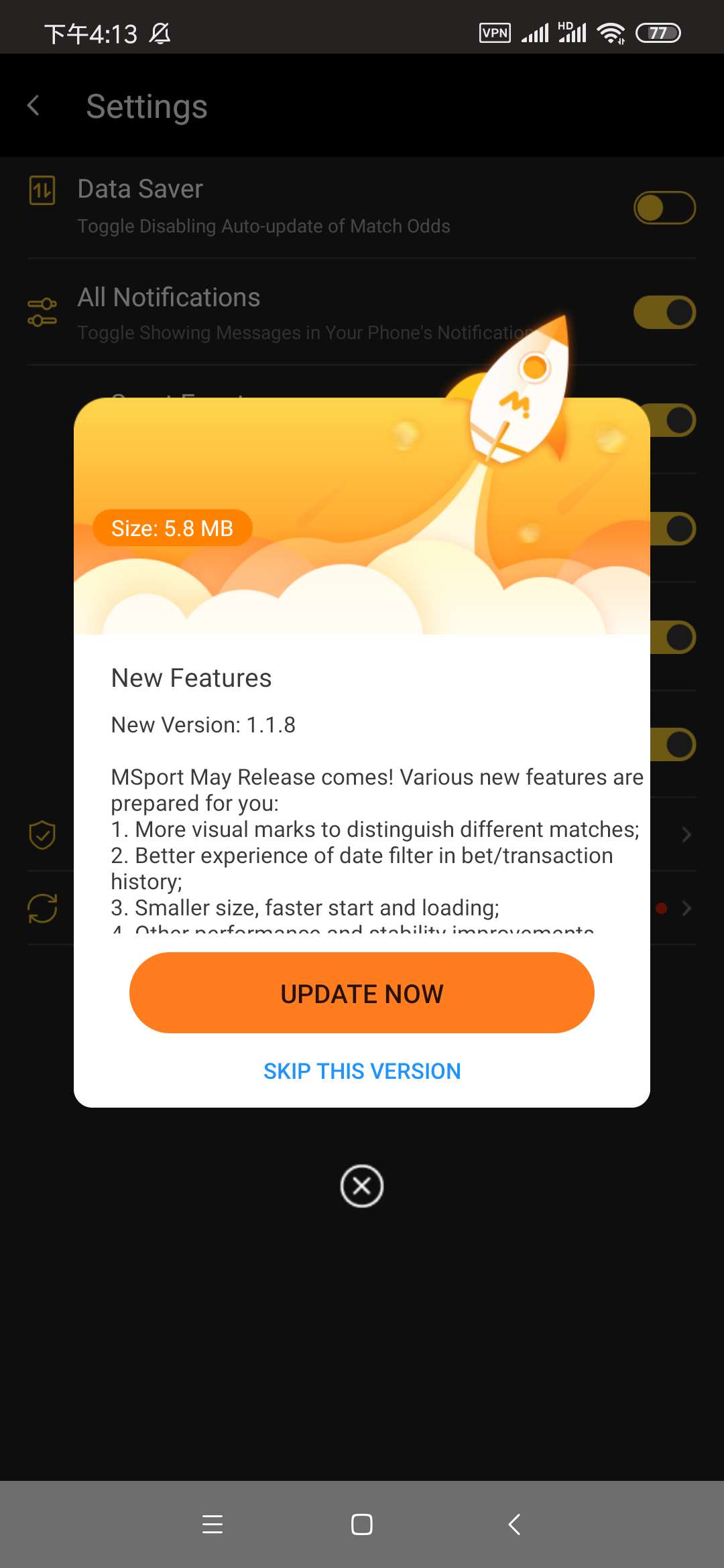
4th, click "Update Now" button to download the apk and install page will come automatically. Just click the "Install" button in the right side at the bottom.
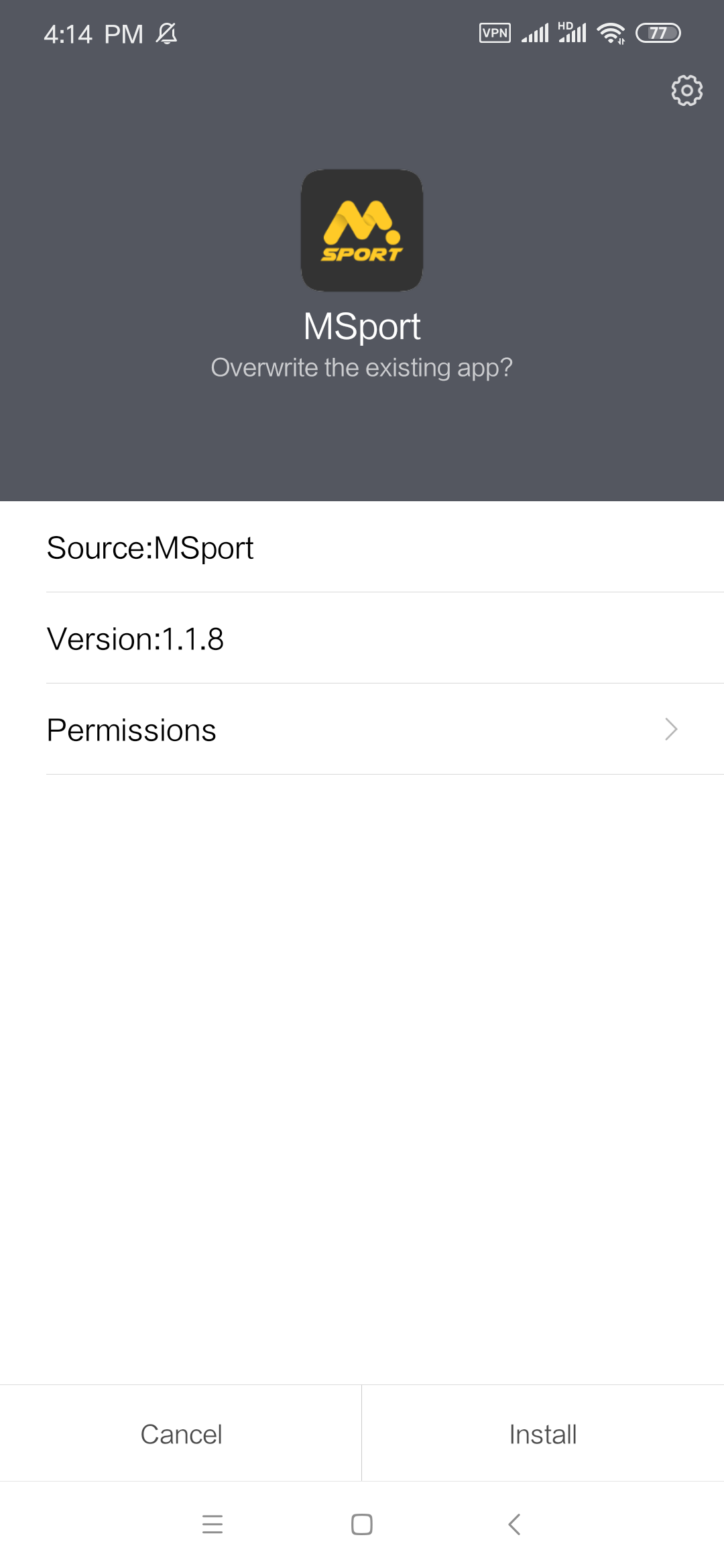
5th, after the new apk file is installed successfully, the following successful page will appear automatically.
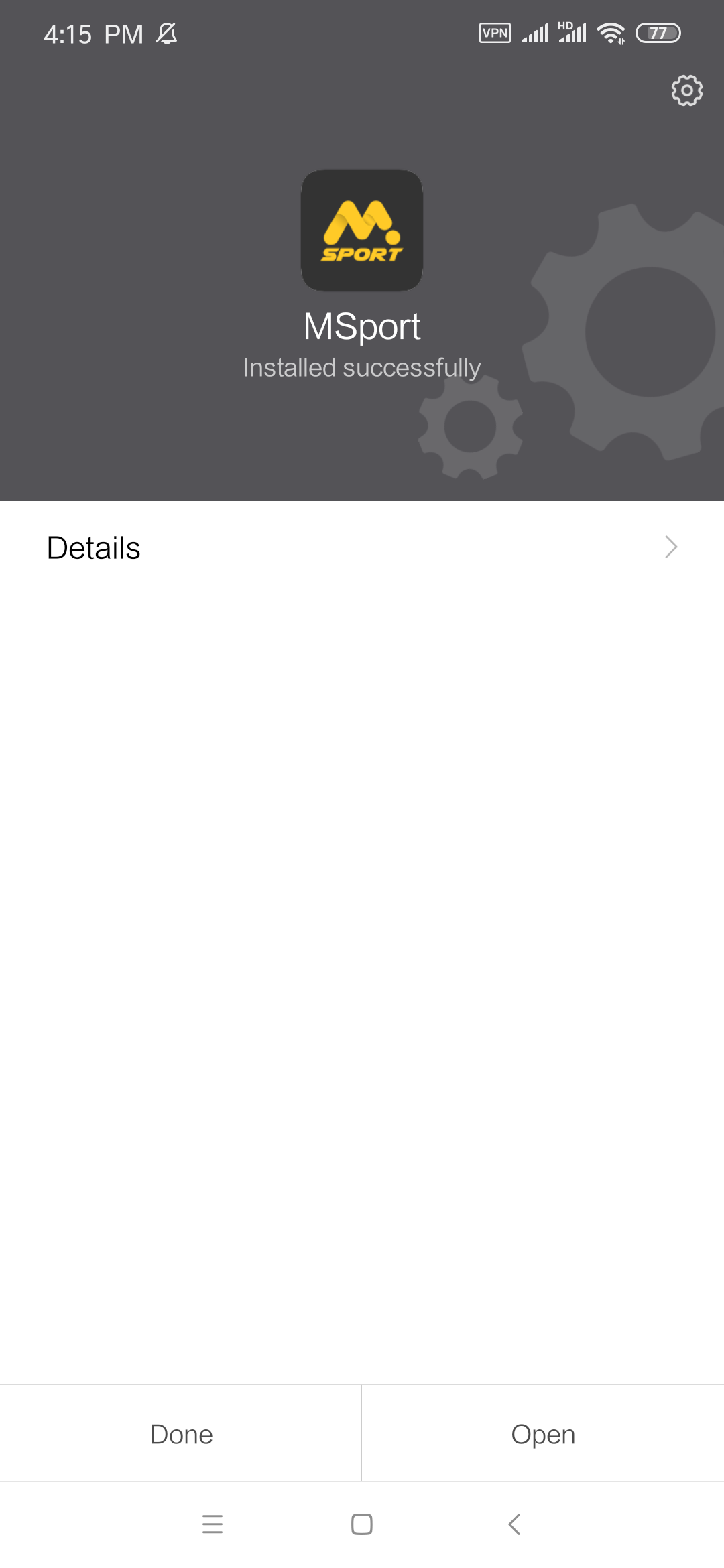
6th, click the "Open" button, to open your new APP.
If your APP is the newest version, when you click the "Check Updates" item, there will be a prompt message "No update"
Hope you enjoy the new APP, and win more with it.
Comments
2 comments
Hello I don't have access to my msport account why
Please help me out
Please sign in to leave a comment.