Step 1: Click on the "ME" icon at the top-right corner of your page.
Step 2: Click on "Deposit".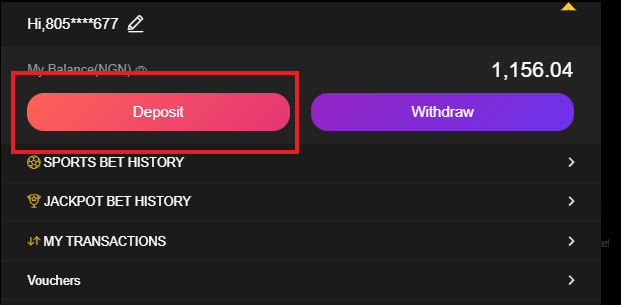
Step 3: Click on "Switch Card"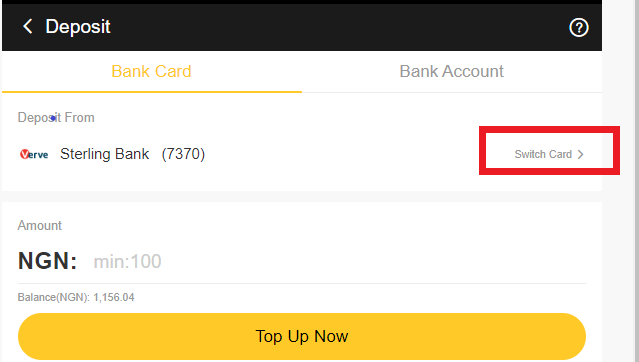
Step 4: Click on "Edit".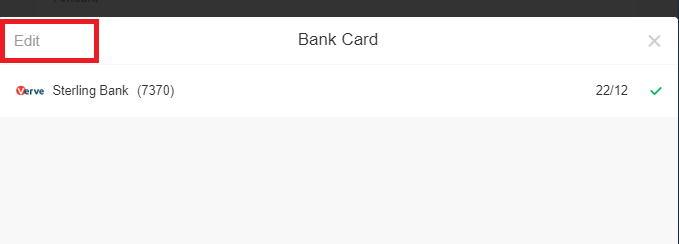
Step 5: Click on the "x" sign in front of the bank card details to remove the card linked with the account.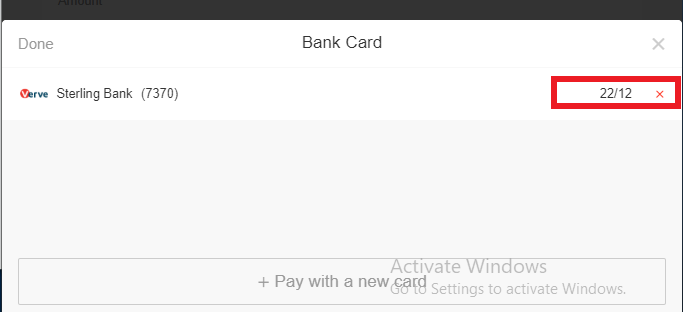
Step 6: Click on "Yes" to confirm deletion of the bank card.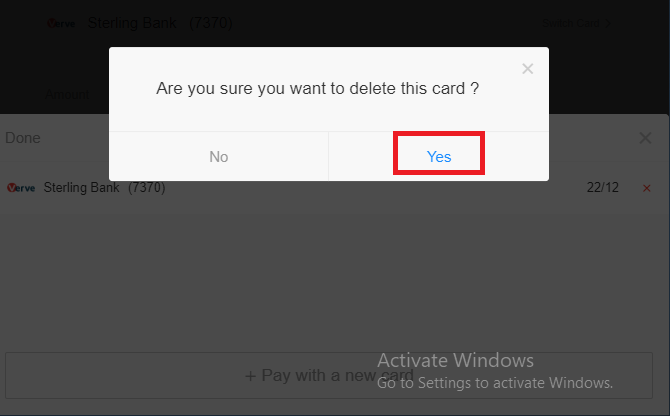
Step 7: Click on "Done" to complete the steps.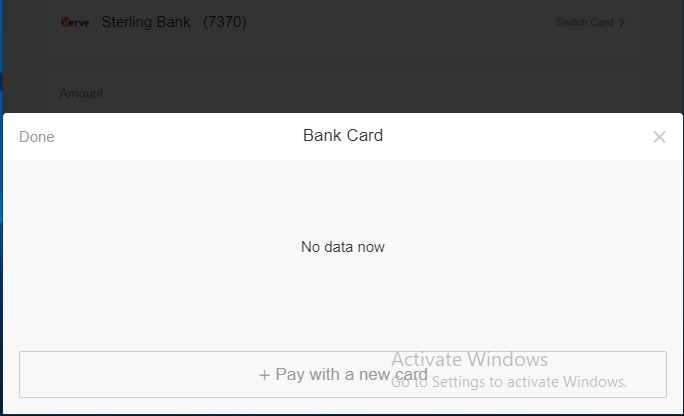
How To Delete Bank Card Details After Making A Deposit

Comments
1 comment
Good
Please sign in to leave a comment.