
Mobile data use is costly and even more so where data plan costs are not affordable by all. Data Saver mode is a new feature on MSport application that lets you reduce data consumption when you are away from Wi-Fi network.
To enable Data Saver on MSport App, please follow the steps below;
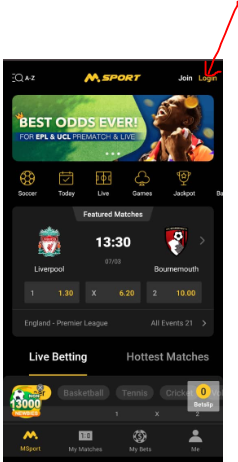
1. Login to your MSport account via the App
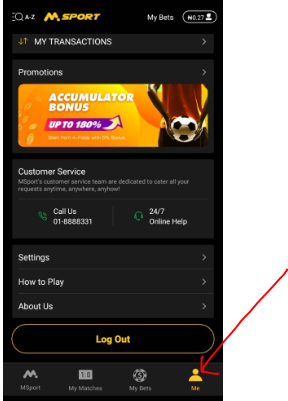
2. Click on the "Me" icon at the bottom right side of the page
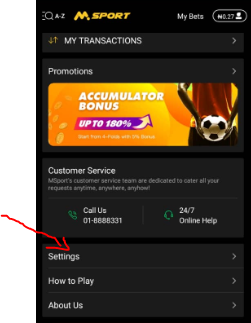
3. Select "Settings" on the next page displayed
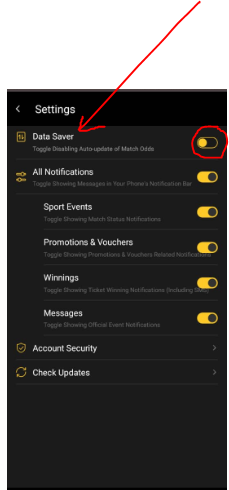
4. Toggle enabling or disabling auto-update of match odds to turn on and off "data saver"
Comments
1 comment
I understand
Please sign in to leave a comment.