
To reverse your failed deposit transaction (bank transfer) back to your bank account, kindly follow the process below
Kindly login to your MSport account
Click on the human icon where your balance is showing
On the new page, click on My Transaction
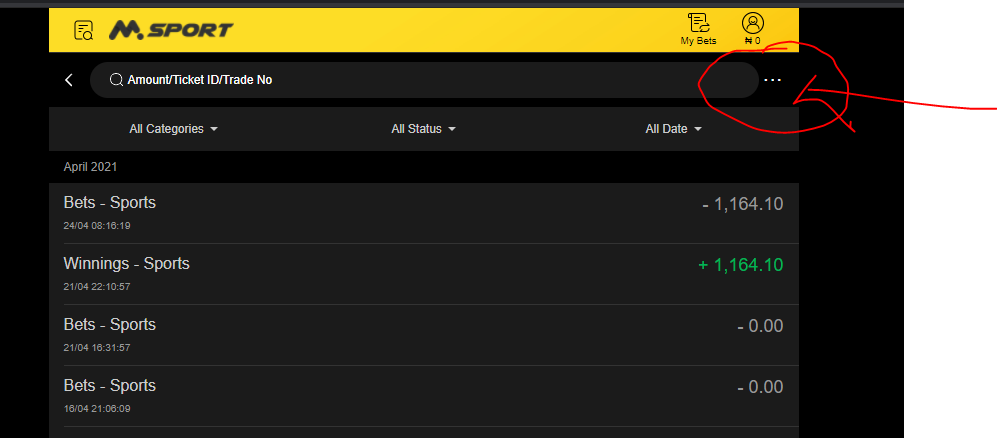
Then at the top of the My Transaction page, you will see 3 dots (...) beside the search column
Kindly click on the 3 dots(...)
On the new page displayed, kindly click on Bank transfer not arrived?
After which you can fill in the page with the necessary deposit transaction details and follow the instruction for your refund to be activated by Paystack.
Comments
3 comments
I’ve been battling with deposit since 🥺
Please refund my money
Chat started
6974415166 put the money in that account number asagwara chinemere Victor
Please sign in to leave a comment.