
The MSport app is currently available in two (2) regions.
Kindly follow the steps below to select your preferred region when you want to login:
1.) Click on the "ME" icon.
2.) Click on "Settings"
3.) Click on "Change Region"
4.) Kindly select your preferred region.
5.) Kindly note that the MSport app will restart after changing the region. Please be patient.
1.) Click on the "ME" icon.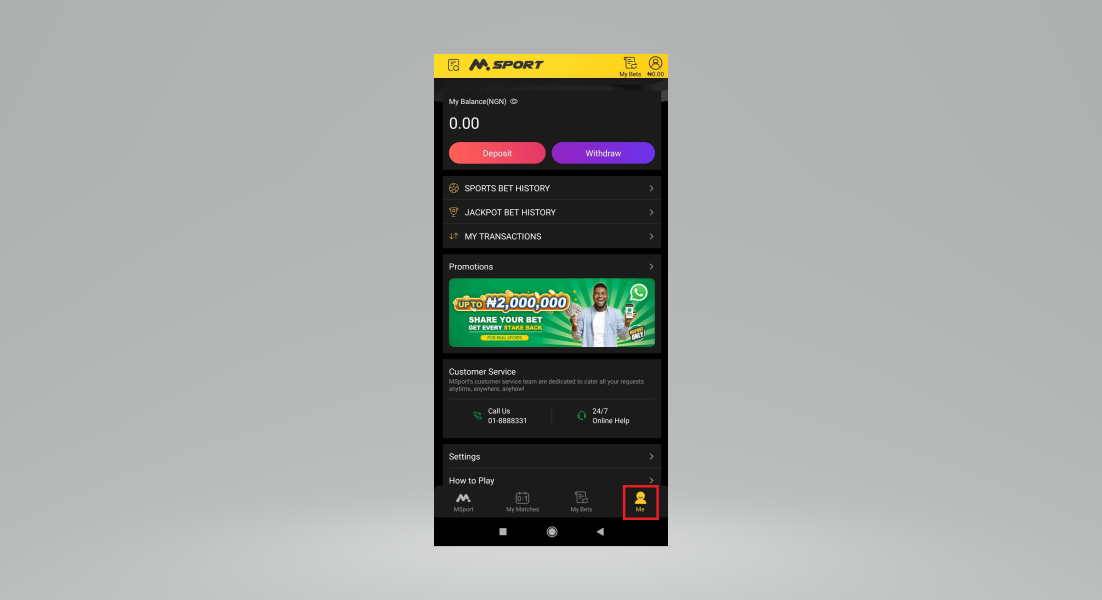
2.) Click on "Settings"
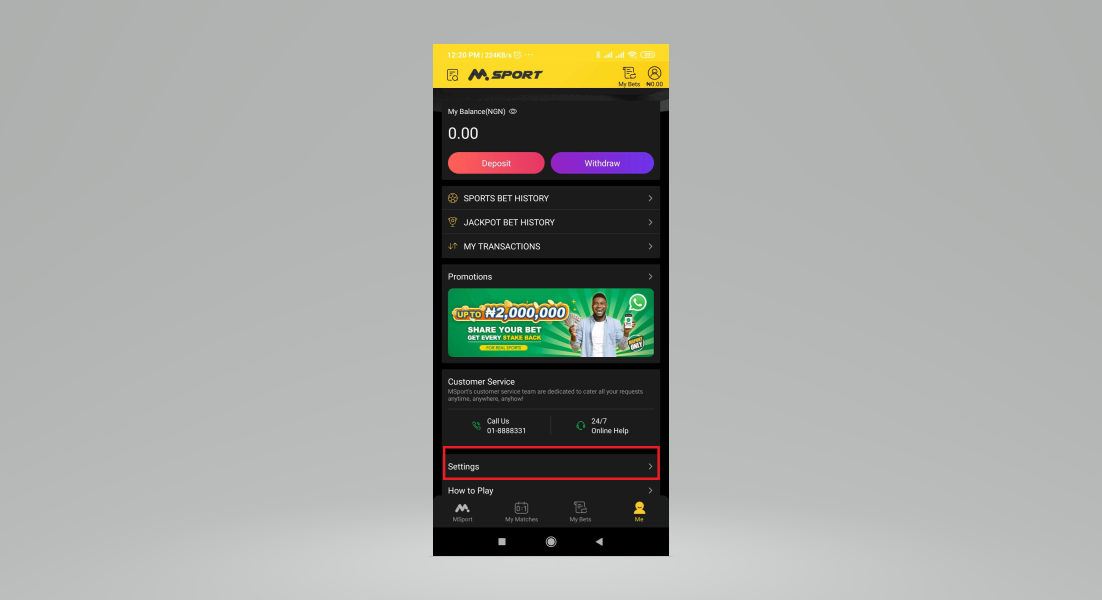
3.) Click on "Change Region"
4.) Kindly select your preferred region.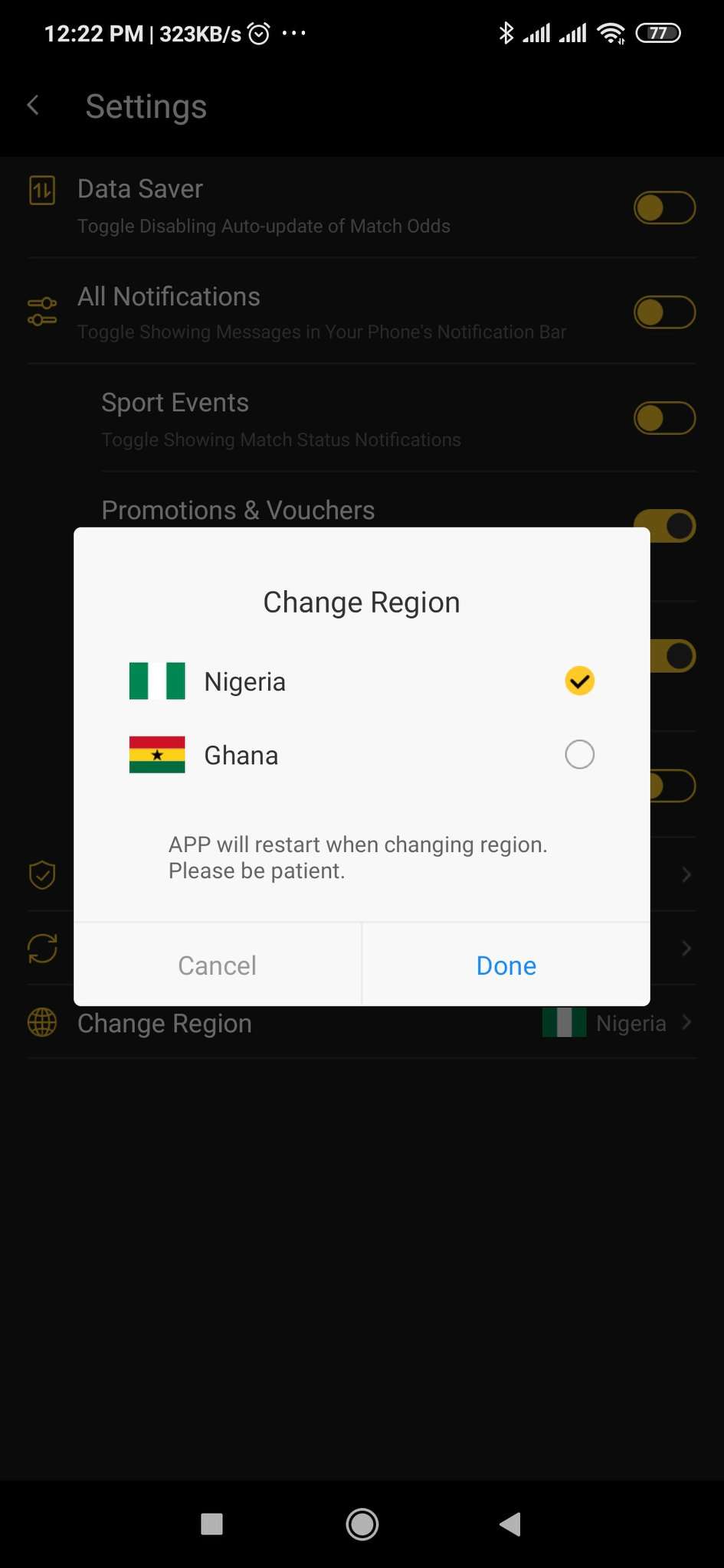
Comments
2 comments
Block my account forever
Dear Customer, Thanks for reaching out to us. For the customer service issues, kindly contact us through our 24/7 Live chat through our website https://www.msport.com/ng/support/about/contact-us?chat=1
Please sign in to leave a comment.